DevOps2024-2025
Raspberry Pi Homelab
Complete self-hosted infrastructure on Raspberry Pi 5: more than 15 running containers, Grafana monitoring and secure Cloudflare access.
DockerRaspberry PiGrafanaPrometheusCloudflareNginxLinuxNextcloudPi-hole
Infrastructure & Hardware
Home server based on a Raspberry Pi 5 for self-hosting personal and professional services.
Hardware:
- Raspberry Pi 5 Model B Rev 1.1 (16GB RAM)
- 1 TB NVMe SSD, with a 500 GB main partition
- Pironman 5 case with active cooling
- Official 27W USB-C power supply
System:
- Debian 12 (Bookworm) aarch64
- Kernel 6.6.74+rpt-rpi-2712
- Docker Engine with more than 15 running containers
Data organization:
- /srv/docker/ — Main services (Nextcloud, Jellyfin, monitoring, etc.)
- /srv/data/ — Persistent data
- /srv/backups/ — Automated backups
- /home/user/docker/ — Auxiliary services (Watchtower, Cloudflared)
16GB
RAM
1 TB NVMe
Storage
15+
Containers
24/7
Uptime
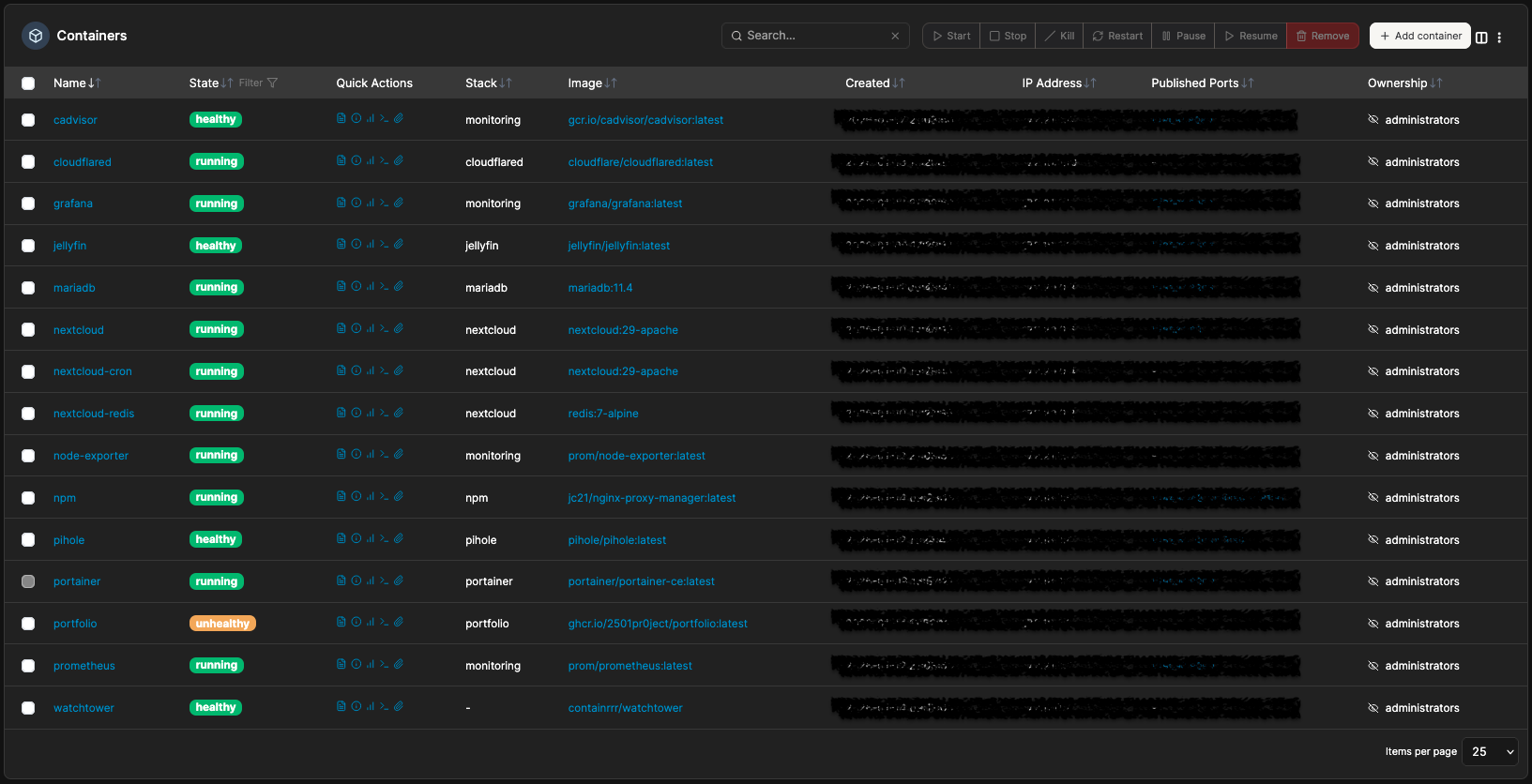
Portainer: 15 Docker containers with statuses, images and stacks
Self-Hosted Services
More than 15 running containers, covering cloud storage, media, DNS and infrastructure management.
Cloud & Storage:
- Nextcloud 29 — Personal cloud with file, contact and calendar sync
- MariaDB 11.4 — Database for Nextcloud
- Redis 7 — Cache for Nextcloud (sessions, file locking)
- Nextcloud cron — Scheduled tasks (cleanup, indexing)
Media & Entertainment:
- Jellyfin — Personal media server (movies, series, music)
- Adaptive streaming and hardware transcoding
Network & DNS:
- Pi-hole — DNS server with network-wide ad blocking
- DNS resolution for the whole local network
- Custom blocklists
Infrastructure Management:
- Portainer CE — Docker management web interface
- View of containers, logs, volumes, networks
- Stack deployment through the interface
Nextcloud
Cloud
Jellyfin
Media
Pi-hole
DNS
Portainer
Management
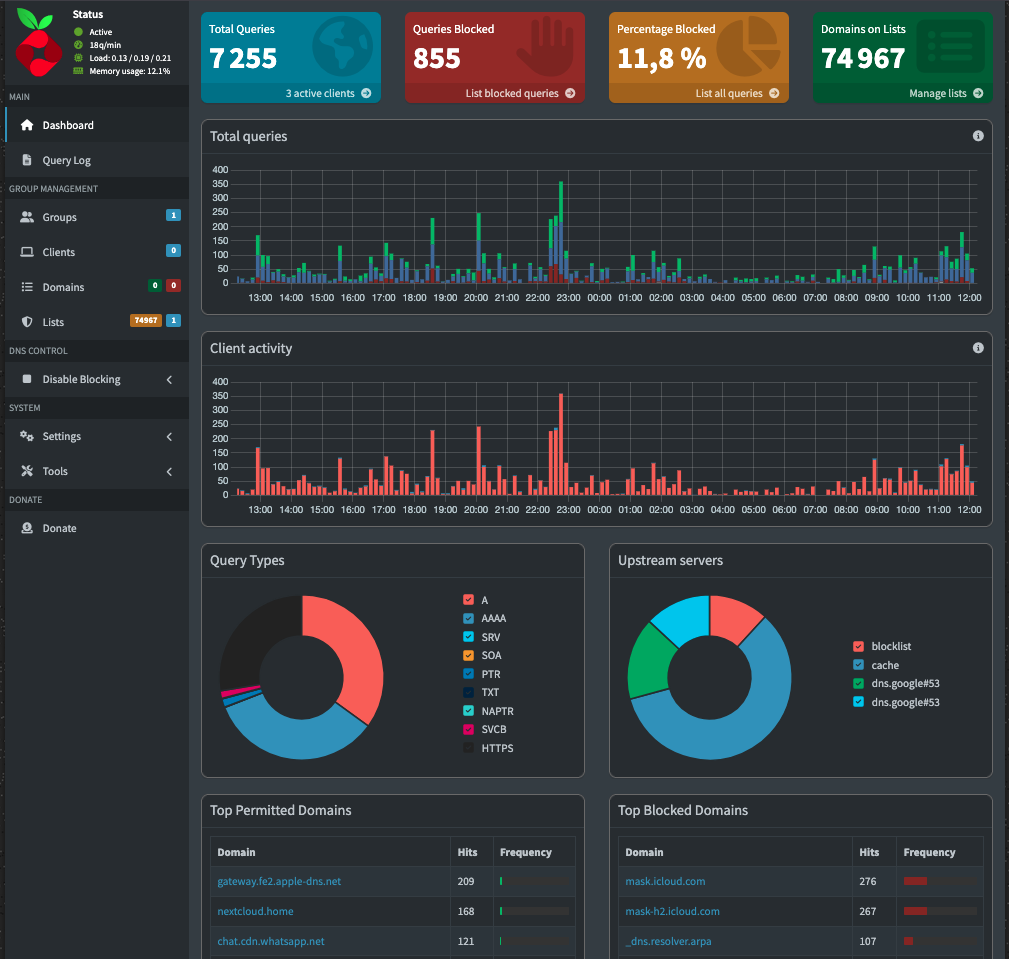
Pi-hole: 7,200+ DNS queries, 11.8% blocked, 75K domains on the blocklist
Monitoring & Observability
Complete monitoring stack for real-time supervision of the system and containers.
Metrics collection:
- Prometheus — Time-series database, scraping every 15s
- Node Exporter — System metrics (CPU, RAM, disk, network)
- cAdvisor — Container metrics (resource usage per container)
Visualization:
- Grafana — Interactive dashboards and alerting
- Node Exporter Full dashboard (detailed system metrics)
- Docker/cAdvisor dashboard (container health)
- Configurable alerts (CPU, RAM, disk thresholds)
Collected metrics:
- CPU: usage, temperature, frequency
- RAM: used, available, cache, swap
- Disk: I/O, space, latency
- Network: bandwidth, packets, errors
- Containers: CPU, memory, I/O per container
Prometheus
Metrics
Grafana
Dashboards
Node Exporter
Host
cAdvisor
Containers
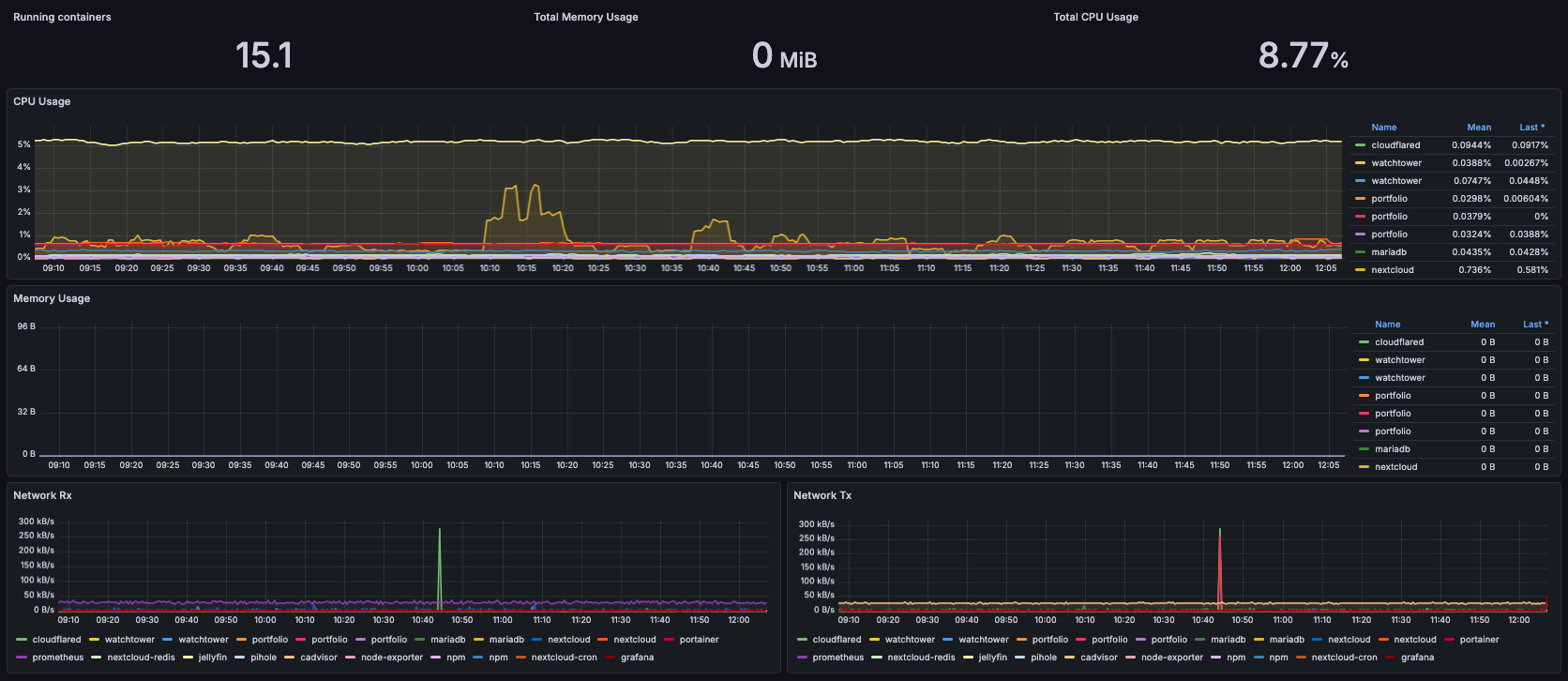
Grafana: real-time CPU, memory and network monitoring per container
Network & Security
Secure network architecture with external access through a Cloudflare tunnel and a reverse proxy.
External access:
- Cloudflared — Cloudflare Zero Trust tunnel
- No ports opened on the router
- End-to-end TLS encryption
- Cloudflare DDoS protection
Reverse proxy:
- Nginx Proxy Manager — Centralized proxy management
- Automatic Let's Encrypt SSL certificates
- Routing by domain/subdomain
- Web configuration interface
Docker networks:
- proxy — Network for exposed services (NPM, Cloudflared)
- internal — Isolated network for internal services
- monitoring — Dedicated network for the Grafana/Prometheus stack
Security:
- No port directly exposed to the Internet
- Cloudflare Access authentication on sensitive services
- Network isolation between services
- Automatic updates through Watchtower
Cloudflare
Tunnel
NPM
Proxy
Let's Encrypt
SSL
0
Open ports
Automation & CI/CD
Continuous deployment pipeline for personal projects with automatic service updates.
Watchtower:
- Monitoring of Docker registries (Docker Hub, GHCR)
- Automatic pull of new images
- Graceful restart of updated containers
- Update notifications
Portfolio pipeline:
- GitHub Actions builds the Docker image on every push
- Push to GitHub Container Registry (ghcr.io)
- Watchtower detects the new image
- Automatic deployment on the Raspberry Pi
- Zero-downtime deployment
Typical workflow:
1. git push to main
2. GitHub Actions: build + push image
3. Watchtower: pull the new image (< 5 min)
4. Container restarted with the new version
5. Site live with the changes
Backups:
- Automated backup scripts
- Docker volume backups
- Configurable retention
- Storage in /srv/backups/
Watchtower
Auto-update
GitHub Actions
CI/CD
GHCR
Registry
< 5 min
Deployment